Normalization & Denormalization
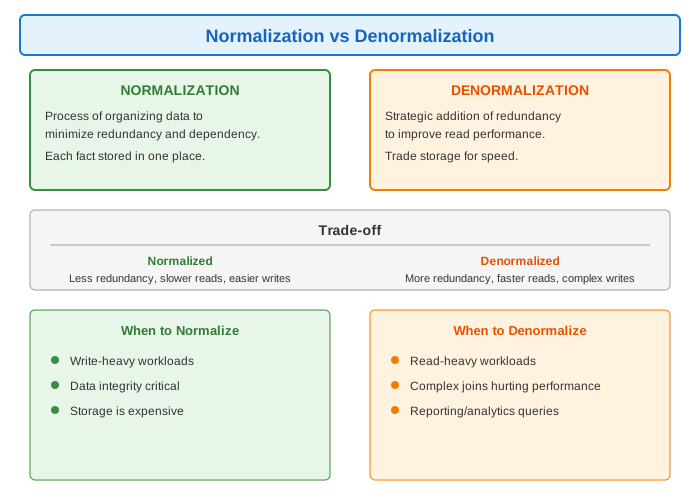
Definition
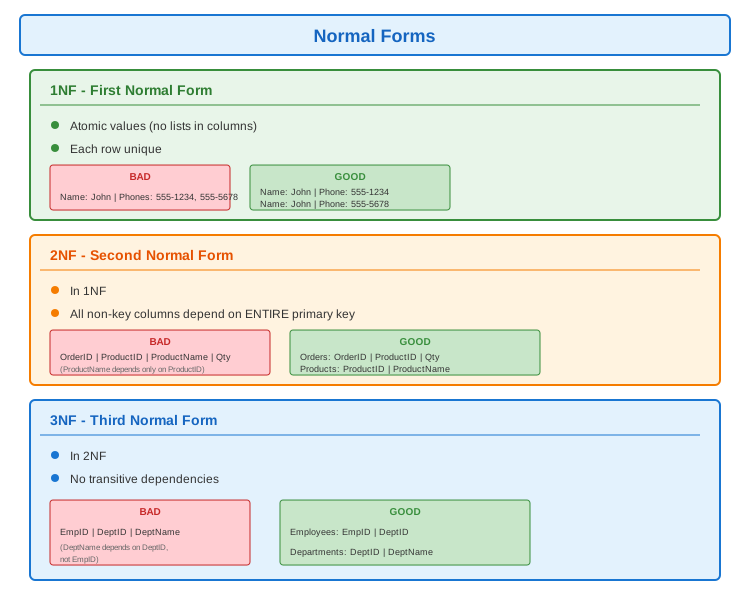
Normalization Example
-- UNNORMALIZED: All data in one table
CREATE TABLE orders_denormalized (
    order_id INT,
    order_date DATE,
    customer_id INT,
    customer_name VARCHAR(100),
    customer_email VARCHAR(100),
    customer_address VARCHAR(200),
    product_id INT,
    product_name VARCHAR(100),
    product_price DECIMAL(10,2),
    quantity INT
);

-- Problems:
-- - Customer info repeated for every order
-- - Product info repeated for every order line
-- - Update customer? Change many rows
-- - Inconsistency risk

-- NORMALIZED: Split into related tables
CREATE TABLE customers (
    customer_id INT PRIMARY KEY,
    name VARCHAR(100),
    email VARCHAR(100),
    address VARCHAR(200)
);

CREATE TABLE products (
    product_id INT PRIMARY KEY,
    name VARCHAR(100),
    price DECIMAL(10,2)
);

CREATE TABLE orders (
    order_id INT PRIMARY KEY,
    order_date DATE,
    customer_id INT REFERENCES customers(customer_id)
);

CREATE TABLE order_items (
    order_id INT REFERENCES orders(order_id),
    product_id INT REFERENCES products(product_id),
    quantity INT,
    PRIMARY KEY (order_id, product_id)
);

-- Benefits:
-- - Each fact stored once
-- - Update customer? One row
-- - Data integrity enforced
Denormalization Strategies
-- Strategy 1: Redundant columns
-- Add frequently-accessed data to avoid joins

CREATE TABLE orders (
    order_id INT PRIMARY KEY,
    customer_id INT,
    customer_name VARCHAR(100),  -- Redundant! Copied from customers
    order_total DECIMAL(10,2),   -- Computed! Sum of items
    order_date DATE
);

-- Pros: No joins needed for common queries
-- Cons: Must update customer_name if customer changes


-- Strategy 2: Summary tables
-- Pre-computed aggregations

CREATE TABLE daily_sales_summary (
    date DATE PRIMARY KEY,
    total_orders INT,
    total_revenue DECIMAL(10,2),
    avg_order_value DECIMAL(10,2)
);

-- Updated by trigger or batch job


-- Strategy 3: Materialized views
CREATE MATERIALIZED VIEW product_sales AS
SELECT
    p.product_id,
    p.name,
    COUNT(oi.order_id) as times_ordered,
    SUM(oi.quantity) as total_quantity,
    SUM(oi.quantity * p.price) as total_revenue
FROM products p
JOIN order_items oi ON p.product_id = oi.product_id
GROUP BY p.product_id, p.name;

-- Refresh periodically
REFRESH MATERIALIZED VIEW product_sales;
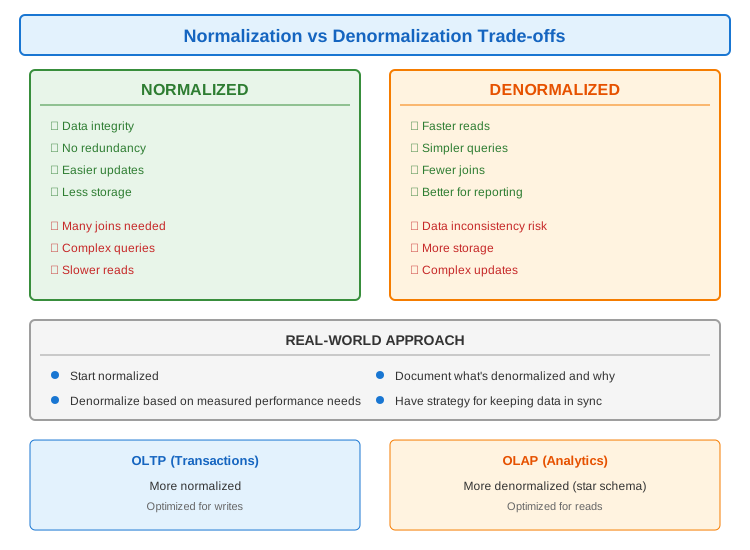
Trade-offs
Keeping Denormalized Data in Sync
// Strategies for maintaining consistency

// 1. Database Triggers
CREATE TRIGGER update_order_total
AFTER INSERT OR UPDATE ON order_items
FOR EACH ROW
BEGIN
    UPDATE orders
    SET total = (SELECT SUM(quantity * price) FROM order_items WHERE order_id = NEW.order_id)
    WHERE order_id = NEW.order_id;
END;

// 2. Application-level sync
@Transactional
public void updateCustomerName(Long customerId, String newName) {
    // Update normalized data
    customerRepository.updateName(customerId, newName);

    // Update denormalized copies
    orderRepository.updateCustomerName(customerId, newName);
}

// 3. Event-driven sync
@EventListener
public void onCustomerUpdated(CustomerUpdatedEvent event) {
    // Async update of denormalized data
    orderRepository.updateCustomerName(
        event.getCustomerId(),
        event.getNewName()
    );
}

// 4. Eventual consistency with CDC
// Change Data Capture streams changes to update copies
// Debezium, AWS DMS, etc.

// 5. Batch reconciliation
@Scheduled(cron = "0 0 2 * * ?")  // 2 AM daily
public void reconcileDenormalizedData() {
    // Compare and fix any inconsistencies
}
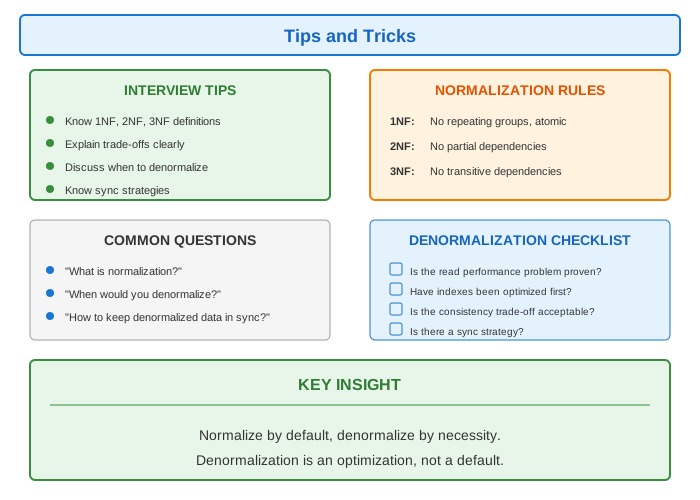
Tips & Tricks