Chaos Engineering
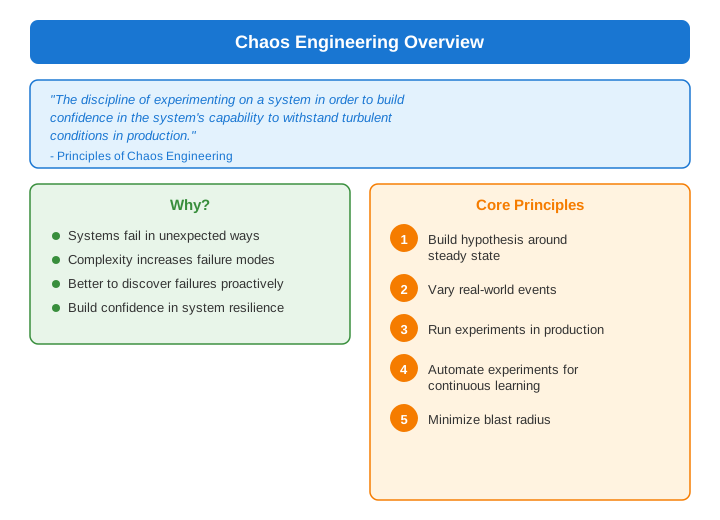
What is Chaos Engineering?
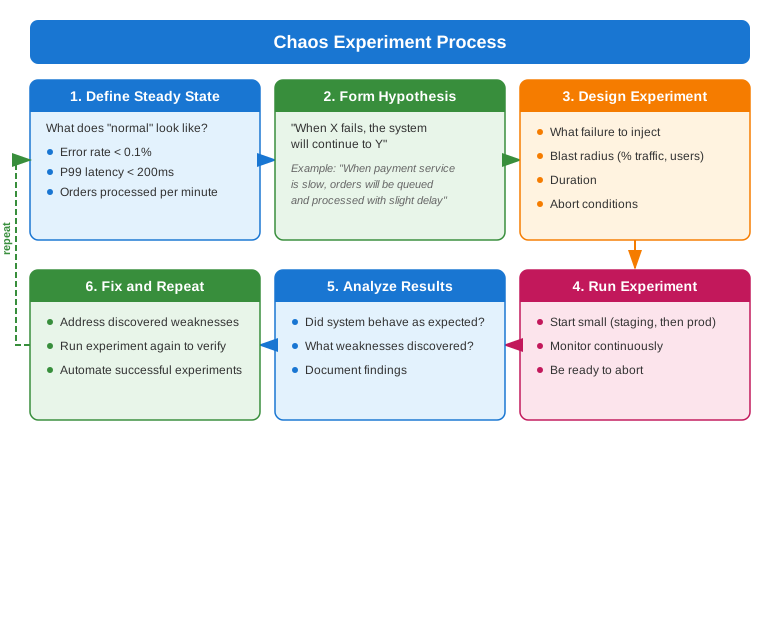
Chaos Engineering Process
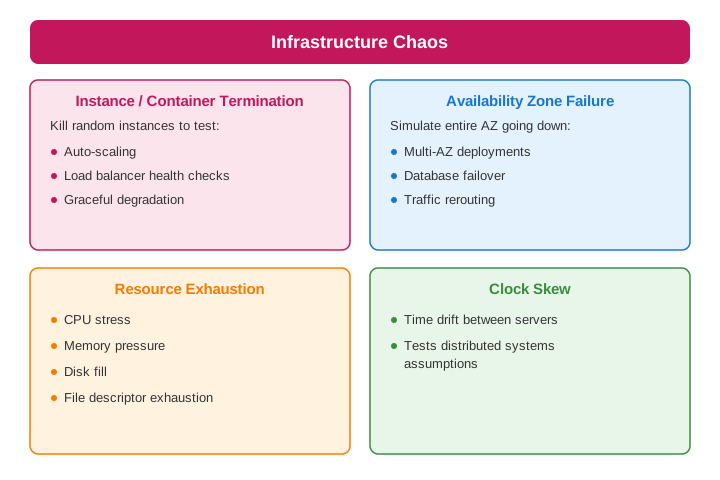
Types of Chaos Experiments
Infrastructure Failures
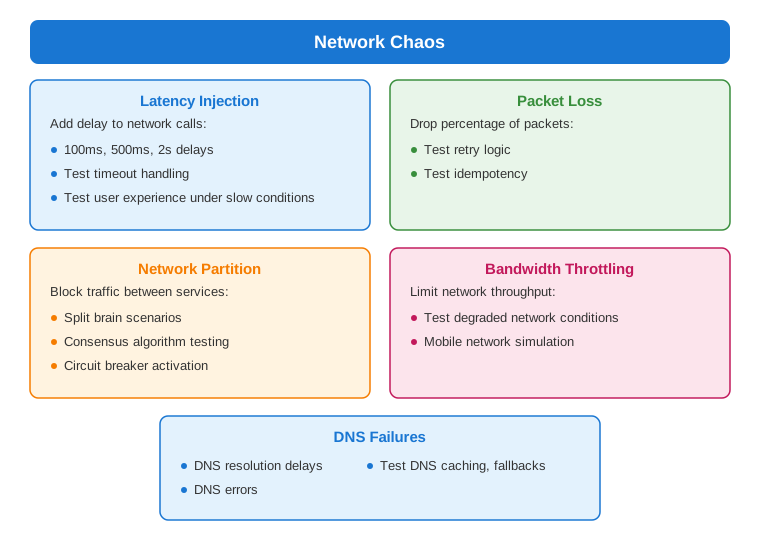
Network Failures
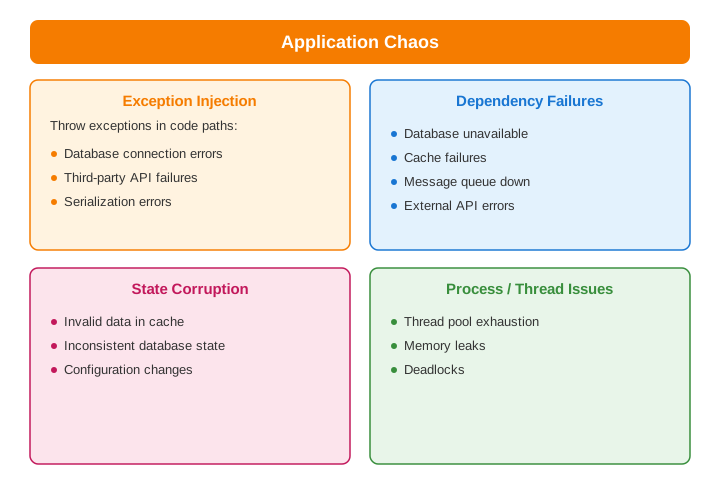
Application Failures
Chaos Engineering Tools
Chaos Monkey (Netflix)
# Chaos Monkey configuration
chaos-monkey:
  enabled: true
  assaults:
    level: 5  # 1-10, frequency of attacks
    latencyActive: true
    latencyRangeStart: 1000
    latencyRangeEnd: 3000
    exceptionsActive: true
    killApplicationActive: false
  watcher:
    enabled: true
    components: [service, controller, repository]
Litmus Chaos (Kubernetes)
# Litmus ChaosExperiment
apiVersion: litmuschaos.io/v1alpha1
kind: ChaosExperiment
metadata:
  name: pod-delete
spec:
  definition:
    scope: Namespaced
    permissions:
      - apiGroups: [""]
        resources: ["pods"]
        verbs: ["delete", "list", "get"]
    image: litmuschaos/go-runner:latest
    env:
      - name: TOTAL_CHAOS_DURATION
        value: "30"
      - name: CHAOS_INTERVAL
        value: "10"
      - name: FORCE
        value: "false"

---
apiVersion: litmuschaos.io/v1alpha1
kind: ChaosEngine
metadata:
  name: order-service-chaos
spec:
  appinfo:
    appns: production
    applabel: app=order-service
    appkind: deployment
  chaosServiceAccount: litmus-admin
  experiments:
    - name: pod-delete
      spec:
        components:
          env:
            - name: TOTAL_CHAOS_DURATION
              value: "30"
Gremlin
# Gremlin CLI examples

# CPU attack
gremlin attack cpu \
  --length 60 \
  --percent 80 \
  --target-tags "service=order-service,env=production"

# Latency attack
gremlin attack latency \
  --length 120 \
  --delay 500 \
  --target-tags "service=payment-service"

# Blackhole attack (network partition)
gremlin attack blackhole \
  --length 60 \
  --hostnames "database.internal" \
  --target-tags "service=order-service"
Chaos Toolkit
# experiment.yaml
title: "Verify order service handles database failure"
description: "When database is unavailable, orders should be queued"

steady-state-hypothesis:
  title: "Order processing is normal"
  probes:
    - type: probe
      name: "orders-processed-per-minute"
      tolerance:
        type: range
        target: [90, 110]
      provider:
        type: http
        url: "http://metrics/orders-processed"

method:
  - type: action
    name: "terminate-database"
    provider:
      type: python
      module: chaosaws.rds.actions
      func: stop_db_instance
      arguments:
        db_instance_identifier: "orders-db"
    pauses:
      after: 60

  - type: probe
    name: "check-queue-size"
    provider:
      type: http
      url: "http://metrics/queue-size"

rollbacks:
  - type: action
    name: "restart-database"
    provider:
      type: python
      module: chaosaws.rds.actions
      func: start_db_instance
      arguments:
        db_instance_identifier: "orders-db"
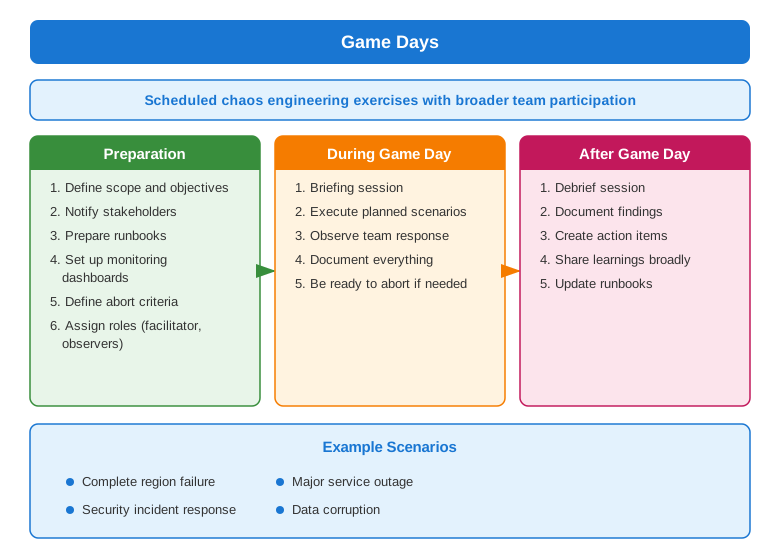
Game Days
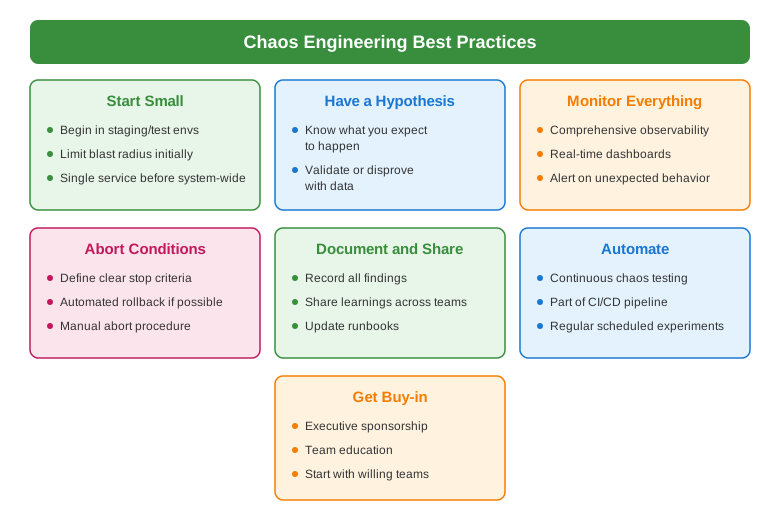
Best Practices
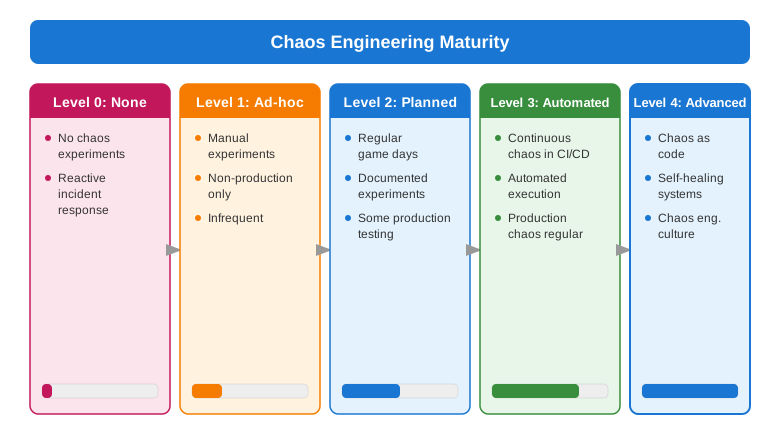
Maturity Model
Common Interview Questions
- What is chaos engineering?
- Controlled experiments to test resilience
- Build confidence in system behavior
-
Discover weaknesses proactively
-
Chaos engineering vs testing?
- Testing: Verify known behaviors
- Chaos: Discover unknown failures
-
Chaos runs in production-like environments
-
How to start with chaos engineering?
- Start in staging
- Small blast radius
- Clear hypothesis
-
Monitor and abort conditions
-
What experiments to run first?
- Instance termination
- Network latency
- Dependency failures
-
Start with most critical services
-
What is a game day?
- Scheduled chaos exercise
- Team-wide participation
- Practice incident response
- Learn and improve
- *