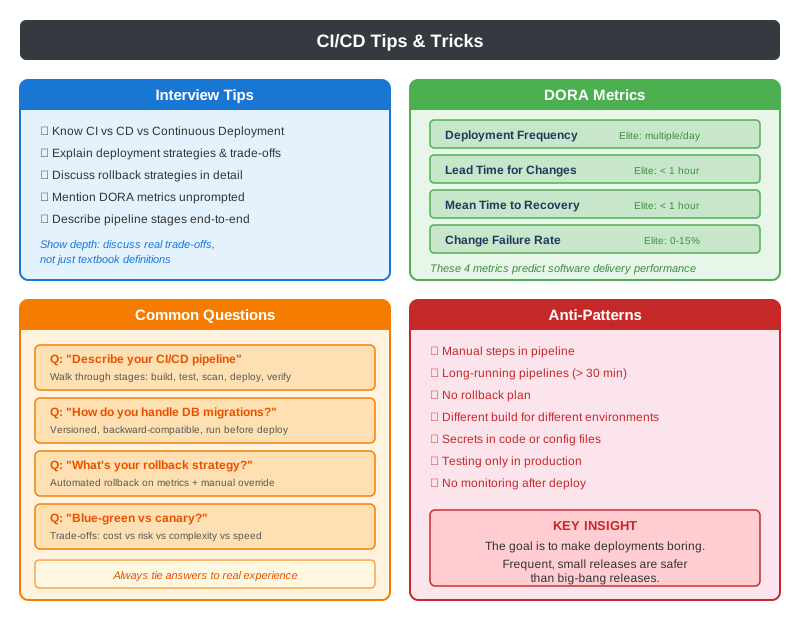
CI/CD (Continuous Integration / Continuous Delivery)
Definition
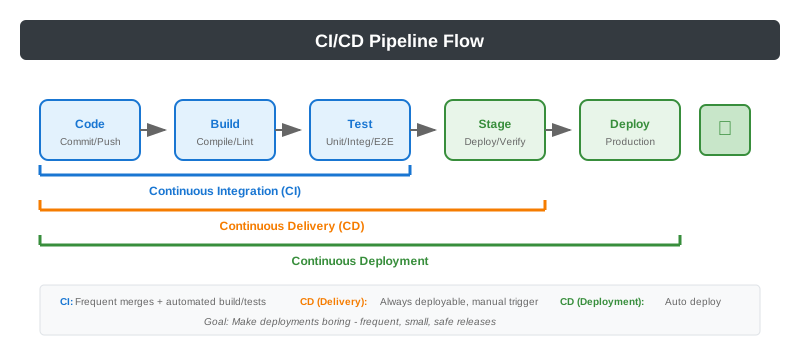
CI Pipeline
# Example: GitHub Actions CI Pipeline
name: CI Pipeline

on:
  push:
    branches: [main, develop]
  pull_request:
    branches: [main]

jobs:
  build:
    runs-on: ubuntu-latest
    steps:
      - uses: actions/checkout@v3

      - name: Set up JDK
        uses: actions/setup-java@v3
        with:
          java-version: '17'

      - name: Build
        run: ./gradlew build

      - name: Run Tests
        run: ./gradlew test

      - name: Static Analysis
        run: ./gradlew sonarqube

      - name: Upload Artifacts
        uses: actions/upload-artifact@v3
        with:
          name: build-artifacts
          path: build/libs/*.jar

  security-scan:
    runs-on: ubuntu-latest
    needs: build
    steps:
      - name: Dependency Check
        run: ./gradlew dependencyCheckAnalyze

      - name: Container Scan
        run: trivy image myapp:${{ github.sha }}

  integration-tests:
    runs-on: ubuntu-latest
    needs: build
    services:
      postgres:
        image: postgres:14
        env:
          POSTGRES_PASSWORD: test
    steps:
      - name: Run Integration Tests
        run: ./gradlew integrationTest
CD Pipeline
# Example: Deployment Pipeline
name: CD Pipeline

on:
  push:
    branches: [main]

jobs:
  deploy-staging:
    runs-on: ubuntu-latest
    environment: staging
    steps:
      - name: Deploy to Staging
        run: |
          kubectl set image deployment/myapp \
            myapp=myregistry/myapp:${{ github.sha }}

      - name: Run Smoke Tests
        run: ./scripts/smoke-tests.sh staging

      - name: Run E2E Tests
        run: ./scripts/e2e-tests.sh staging

  deploy-production:
    runs-on: ubuntu-latest
    needs: deploy-staging
    environment: production
    steps:
      - name: Deploy Canary (10%)
        run: |
          kubectl apply -f k8s/canary-deployment.yaml

      - name: Monitor Metrics
        run: ./scripts/monitor-canary.sh --duration 10m

      - name: Promote or Rollback
        run: |
          if [ "$CANARY_SUCCESS" == "true" ]; then
            kubectl apply -f k8s/full-deployment.yaml
          else
            kubectl rollout undo deployment/myapp
          fi
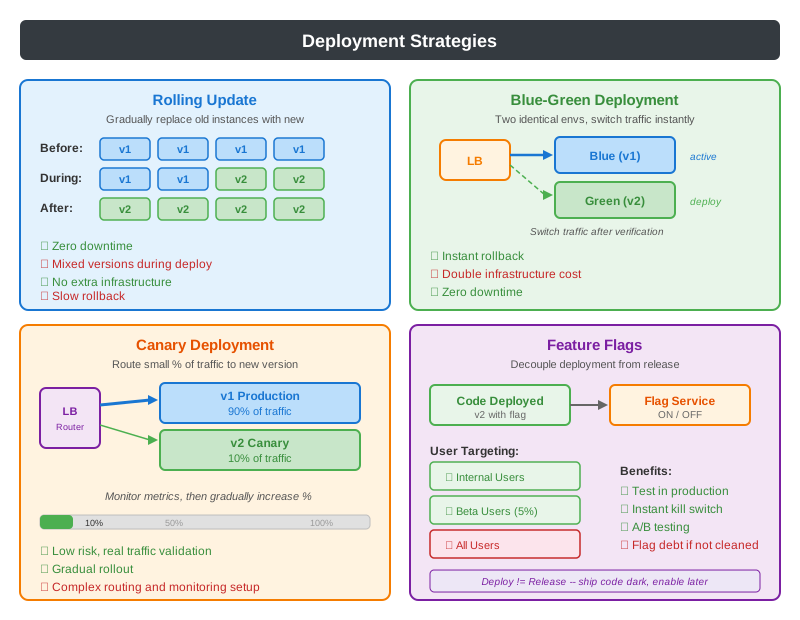
Deployment Strategies
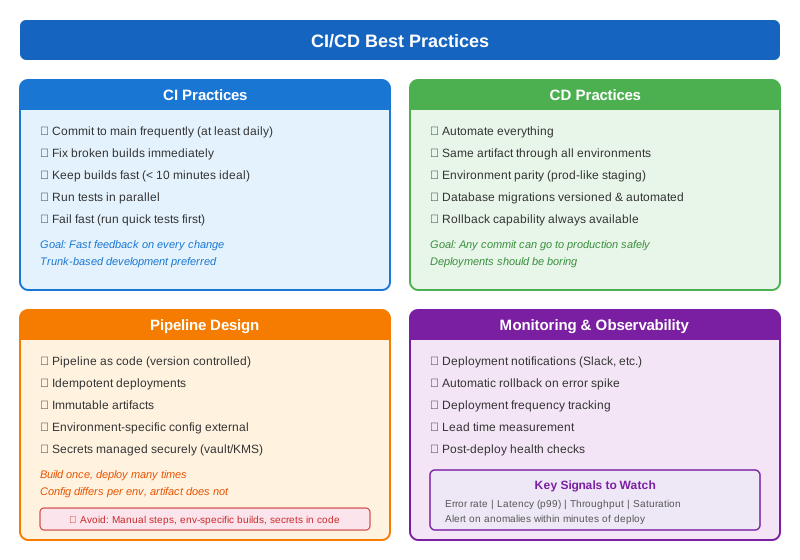
Best Practices
Pipeline Stages
// Typical Pipeline Stages

// 1. BUILD STAGE
// - Compile code
// - Run linters
// - Generate artifacts
./gradlew clean build -x test

// 2. TEST STAGE
// - Unit tests (fast, isolated)
// - Integration tests (DB, APIs)
// - Contract tests
./gradlew test integrationTest

// 3. SECURITY STAGE
// - SAST (Static Application Security Testing)
// - Dependency vulnerability scan
// - Container image scan
./gradlew dependencyCheckAnalyze
trivy image myapp:latest

// 4. PACKAGE STAGE
// - Build Docker image
// - Push to registry
// - Tag with version/commit SHA
docker build -t myapp:${GIT_SHA} .
docker push registry/myapp:${GIT_SHA}

// 5. DEPLOY STAGE
// - Deploy to environment
// - Run smoke tests
// - Run E2E tests
kubectl apply -f deployment.yaml
./smoke-tests.sh

// 6. RELEASE STAGE
// - Canary analysis
// - Full rollout
// - Post-deployment verification
kubectl set image deployment/myapp myapp=registry/myapp:${GIT_SHA}
Tips & Tricks